About the Project
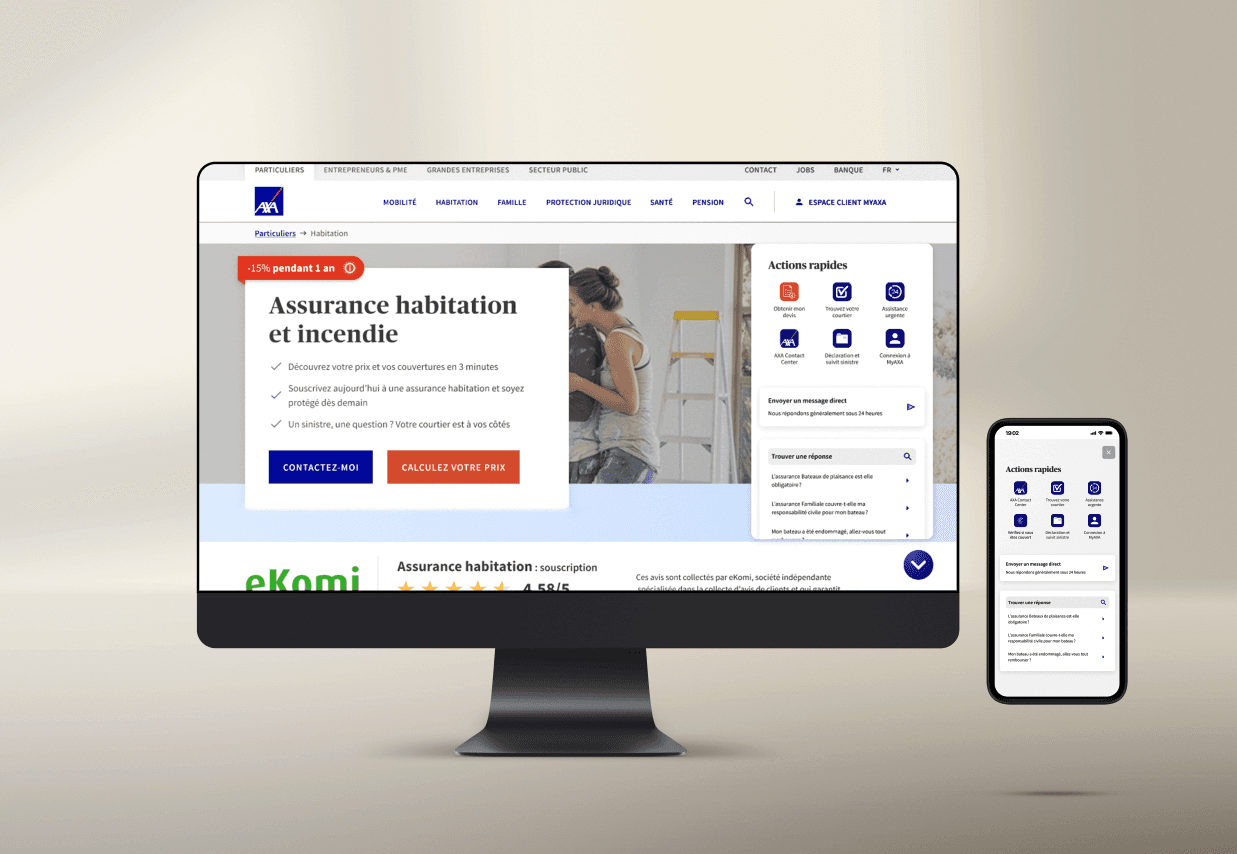
Led the creation of a new help center, empowering both prospects and customers to locate answers efficiently. By streamlining navigation and organizing content strategically, the platform improved information discovery and supported user self-service.
Challenges
Testing this new menu was difficult, as users’ established habits limited the feedback we could gather in a controlled environment. The most effective validation would have been on a live page with significant traffic, allowing us to observe real user behavior at scale.
Timeline & milestones
✅ Conducted a benchmark of leading solutions on the market to identify best practices.
✅ Mapped three critical user journeys based on data insights and business priorities.
✅ Developed wireframes to explore interface options and layout strategies.
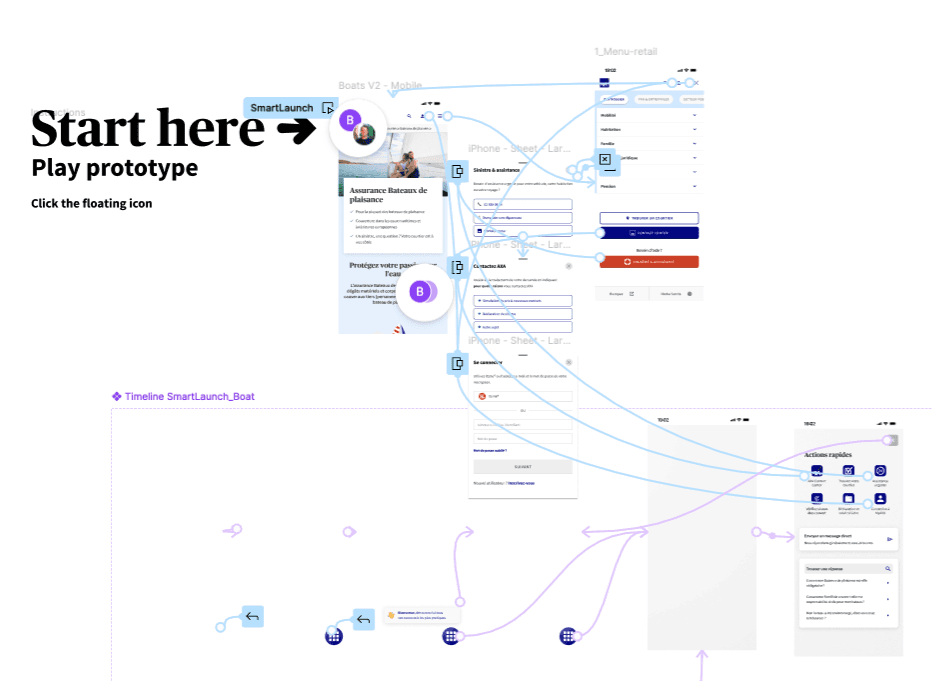
✅ Built interactive prototypes to validate flows and key interactions.
✅ Conducted user testing and interviews to gather qualitative feedback.
✅ Facilitated presentations and workshops to align stakeholders and iterate on solutions.
About the Project
Led the creation of a new help center, empowering both prospects and customers to locate answers efficiently. By streamlining navigation and organizing content strategically, the platform improved information discovery and supported user self-service.
Challenges
Testing this new menu was difficult, as users’ established habits limited the feedback we could gather in a controlled environment. The most effective validation would have been on a live page with significant traffic, allowing us to observe real user behavior at scale.
Timeline & milestones
✅ Conducted a benchmark of leading solutions on the market to identify best practices.
✅ Mapped three critical user journeys based on data insights and business priorities.
✅ Developed wireframes to explore interface options and layout strategies.
✅ Built interactive prototypes to validate flows and key interactions.
✅ Conducted user testing and interviews to gather qualitative feedback.
✅ Facilitated presentations and workshops to align stakeholders and iterate on solutions.
About the Project
Led the creation of a new help center, empowering both prospects and customers to locate answers efficiently. By streamlining navigation and organizing content strategically, the platform improved information discovery and supported user self-service.
Challenges
Testing this new menu was difficult, as users’ established habits limited the feedback we could gather in a controlled environment. The most effective validation would have been on a live page with significant traffic, allowing us to observe real user behavior at scale.
Timeline & milestones
✅ Conducted a benchmark of leading solutions on the market to identify best practices.
✅ Mapped three critical user journeys based on data insights and business priorities.
✅ Developed wireframes to explore interface options and layout strategies.
✅ Built interactive prototypes to validate flows and key interactions.
✅ Conducted user testing and interviews to gather qualitative feedback.
✅ Facilitated presentations and workshops to align stakeholders and iterate on solutions.
Process & Methodology
We added a sticky menu to the homepage, giving both logged-in users and public visitors quick access to the most important tasks.
Key highlights:
Always accessible: Sticky menu ensures critical actions remain visible as users scroll.
Dual-user focus: Supports both logged-in and first-time visitors with tailored options.
User-centered design: Menu items prioritized based on analytics and behavioral data.
Enhanced navigation efficiency: Simplifies access to key tasks, improving overall usability.
Process & Methodology
We added a sticky menu to the homepage, giving both logged-in users and public visitors quick access to the most important tasks.
Key highlights:
Always accessible: Sticky menu ensures critical actions remain visible as users scroll.
Dual-user focus: Supports both logged-in and first-time visitors with tailored options.
User-centered design: Menu items prioritized based on analytics and behavioral data.
Enhanced navigation efficiency: Simplifies access to key tasks, improving overall usability.
Process & Methodology
We added a sticky menu to the homepage, giving both logged-in users and public visitors quick access to the most important tasks.
Key highlights:
Always accessible: Sticky menu ensures critical actions remain visible as users scroll.
Dual-user focus: Supports both logged-in and first-time visitors with tailored options.
User-centered design: Menu items prioritized based on analytics and behavioral data.
Enhanced navigation efficiency: Simplifies access to key tasks, improving overall usability.
Key outcomes & impact
The project highlighted that not every innovative idea translates into measurable value. Despite its potential, the chatbot was set aside because implementing it would require substantial IT effort while offering unclear advantages for users and the business.
Key outcomes & impact
The project highlighted that not every innovative idea translates into measurable value. Despite its potential, the chatbot was set aside because implementing it would require substantial IT effort while offering unclear advantages for users and the business.
Key outcomes & impact
The project highlighted that not every innovative idea translates into measurable value. Despite its potential, the chatbot was set aside because implementing it would require substantial IT effort while offering unclear advantages for users and the business.
